
Free — 3 active recovery offers. Install free →
Recover revenue from slow-moving Shopify inventory.
StockLift scans your catalog and order history, finds SKUs tying up cash, turns them into targeted cart add-on offers, and tracks recovered revenue from paid orders only.
Free plan includes 3 active recovery offers.
- Find slow-moving SKUs
- See retail value at risk
- Track recovered revenue from paid orders
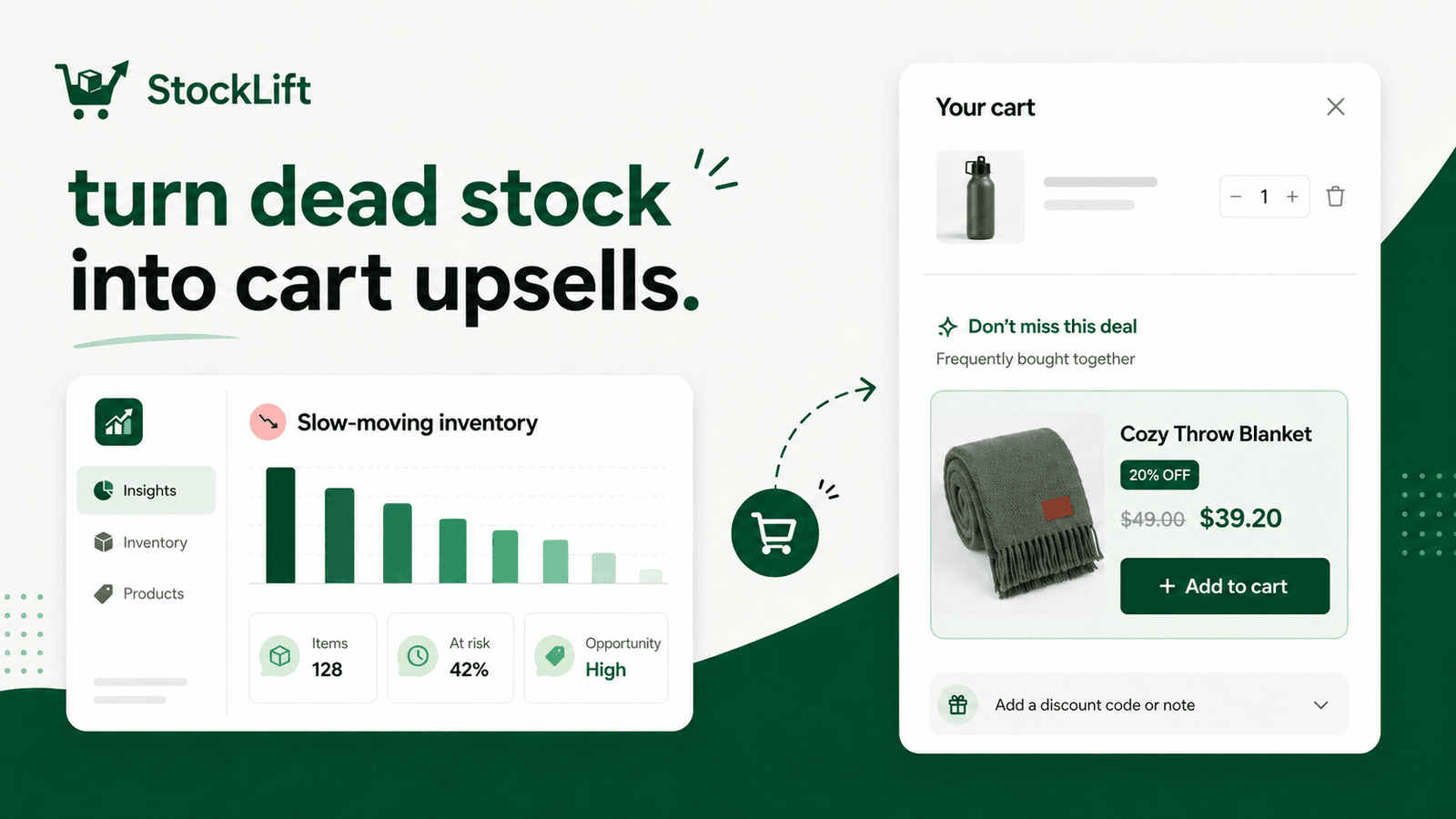
Why StockLift
Inventory cleanup without store-wide sales
Built for Shopify merchants with aging inventory
No store-wide discounting required
Scoped discounts only apply to selected add-ons
Revenue tracking uses paid Shopify orders
Free setup for early merchants
How it works
From slow SKU to cart add-on in four steps
Scan inventory and order history
Sync catalog and recent sales velocity from Shopify.
Detect slow-moving SKUs
Flag products that sit too long without a sale.
Pair stale products with bestsellers
Match aging inventory to products customers already buy.
Activate and track recovered revenue
Launch a scoped cart add-on and measure paid-order results.
Core features
Move aging inventory.Keep margins intact.
- Find slow-moving and dead-stock SKUs from real order data
- Pair stale products with bestsellers as cart add-ons
- Create scoped Shopify discount codes without store-wide sales
- Show one-click discounted add-ons in the cart
- Track recovered revenue from paid Shopify orders
Built for merchants with real catalog depth
StockLift works best for stores with 100+ SKUs, seasonal collections, variant-heavy catalogs, or products that sit too long after launch — apparel, accessories, beauty, home goods, pet products, and boutiques.
Not another generic cart upsell app
Generic upsell apps start with “what can we add to cart?” StockLift starts with “which inventory is tying up cash?” It finds slow-moving SKUs, turns them into targeted cart add-on offers, and tracks paid-order recovery from StockLift discount codes.
Example: a bestselling hoodie triggers a discounted beanie add-on that has not sold in 60 days. The customer sees the offer in cart, the discount applies only to that add-on, and StockLift tracks recovered revenue after payment.
Before
Stale SKUs sit in inventory or get dumped into store-wide clearance.
After
Stale SKUs appear as targeted discounted add-ons next to bestsellers in cart.
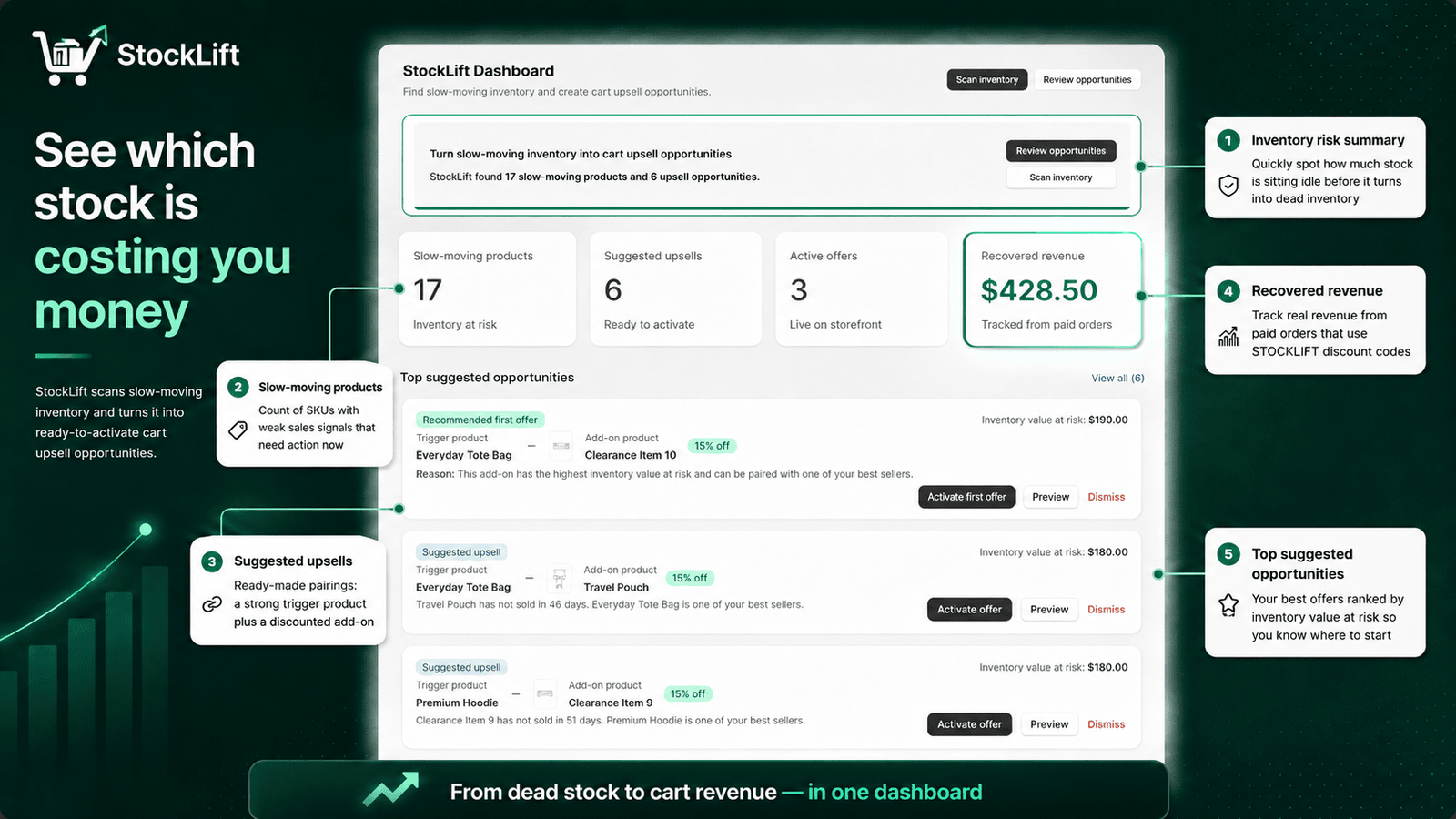
See which stock is costing you money
Dashboard surfaces slow-moving SKUs, suggested pairings, and recovered revenue — ranked by inventory value at risk.
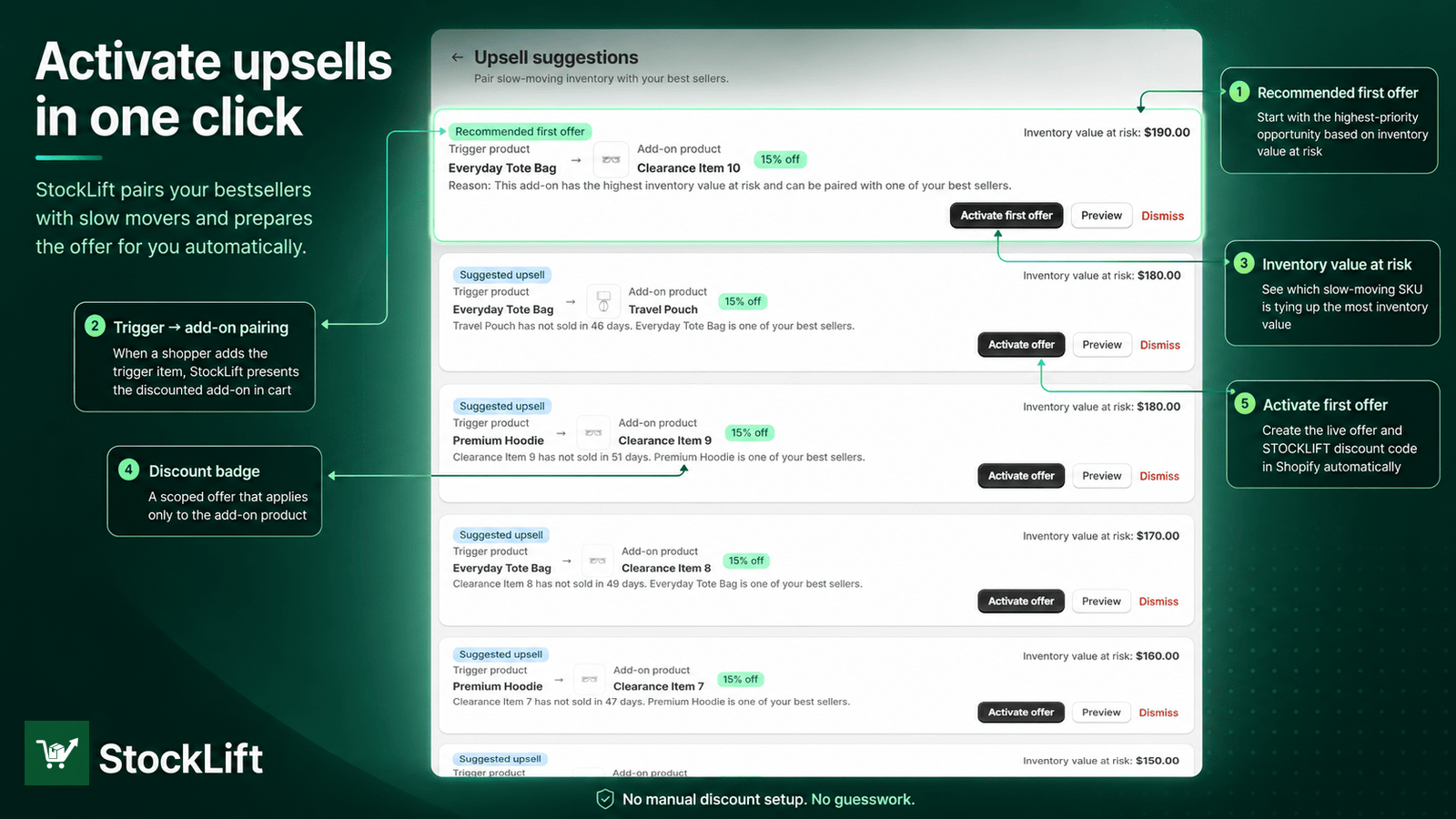
Activate upsells in one click
Pair bestseller triggers with discounted add-ons. Recommended first offer creates a scoped STOCKLIFT code automatically.
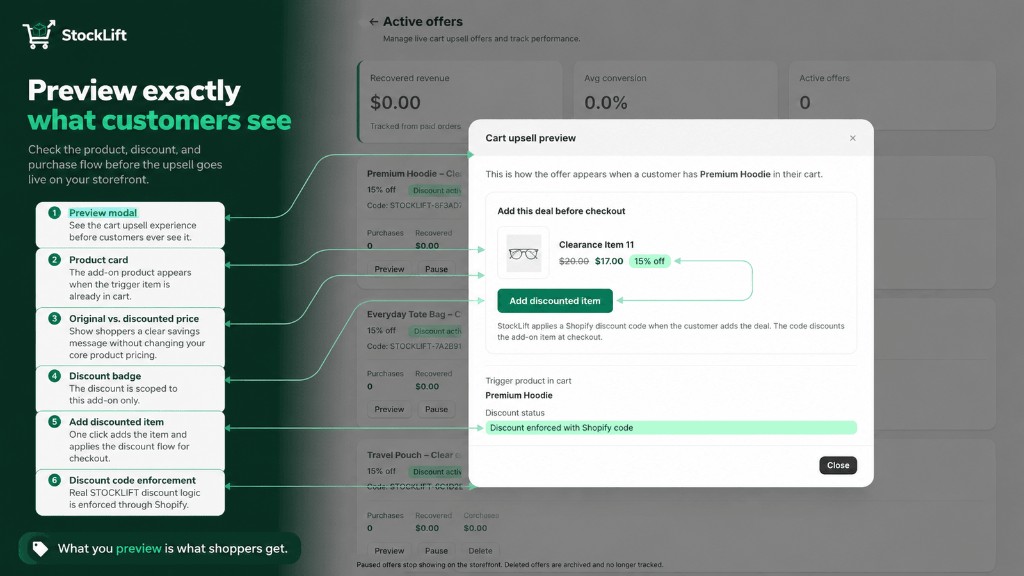
Preview exactly what customers see
Check the cart upsell, discount badge, and Add discounted item flow before the offer goes live on your storefront.
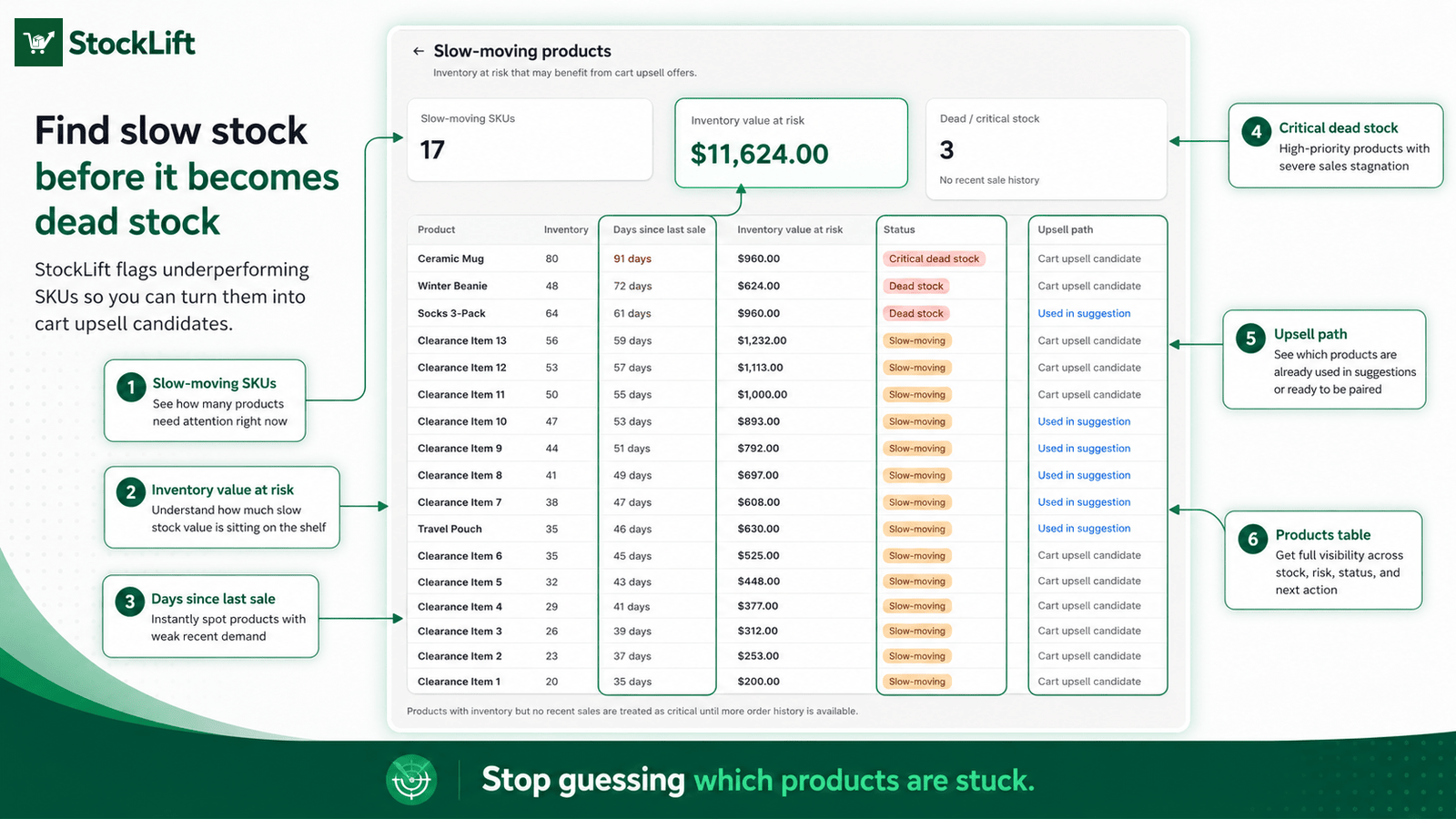
Find slow stock before it's dead stock
Product table flags critical dead stock, days since last sale, and which SKUs are ready for cart upsell pairing.
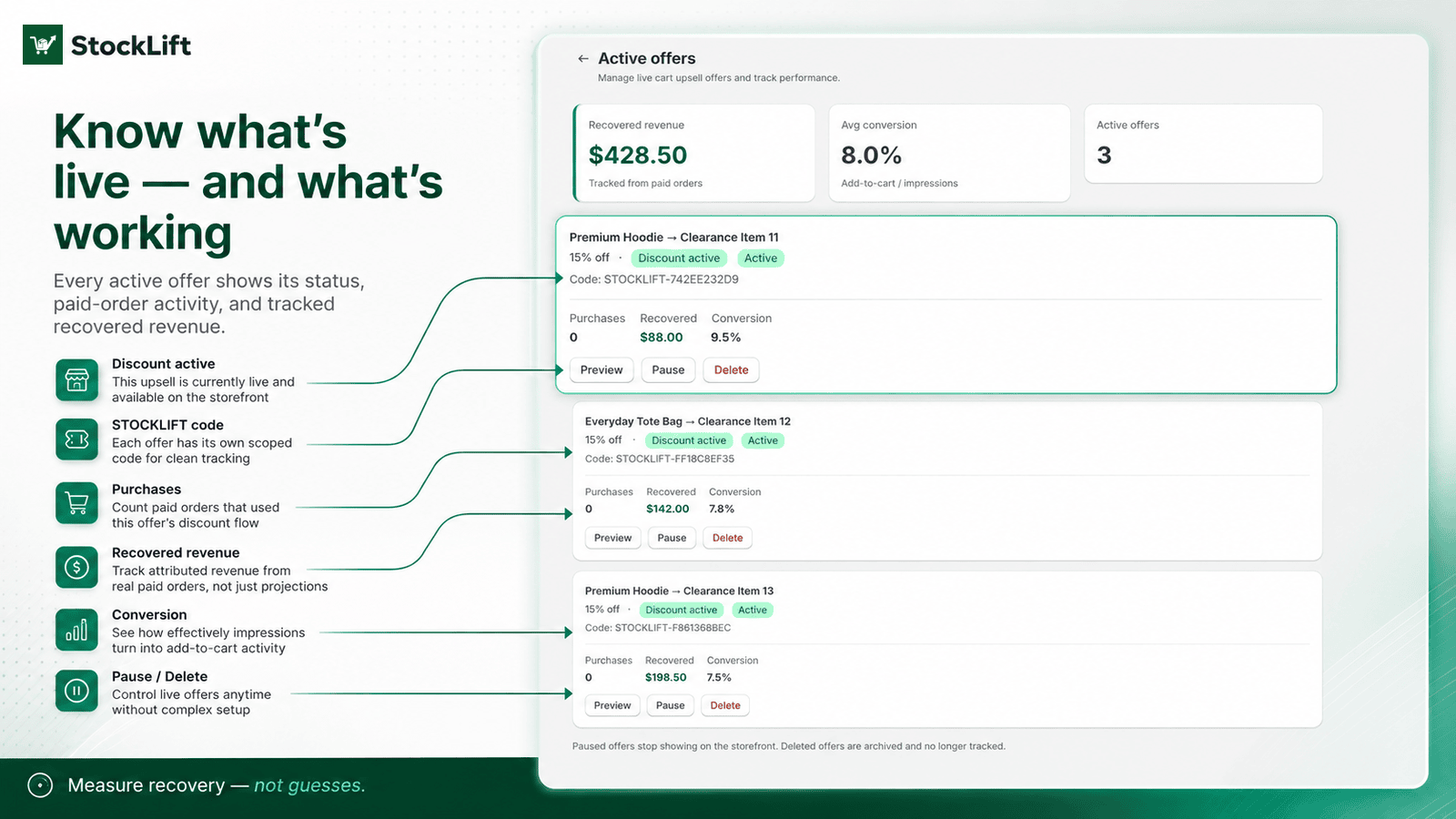
Know what's live — and what's working
Active offers show discount status, STOCKLIFT codes, purchases, conversion, and recovered revenue from paid orders.
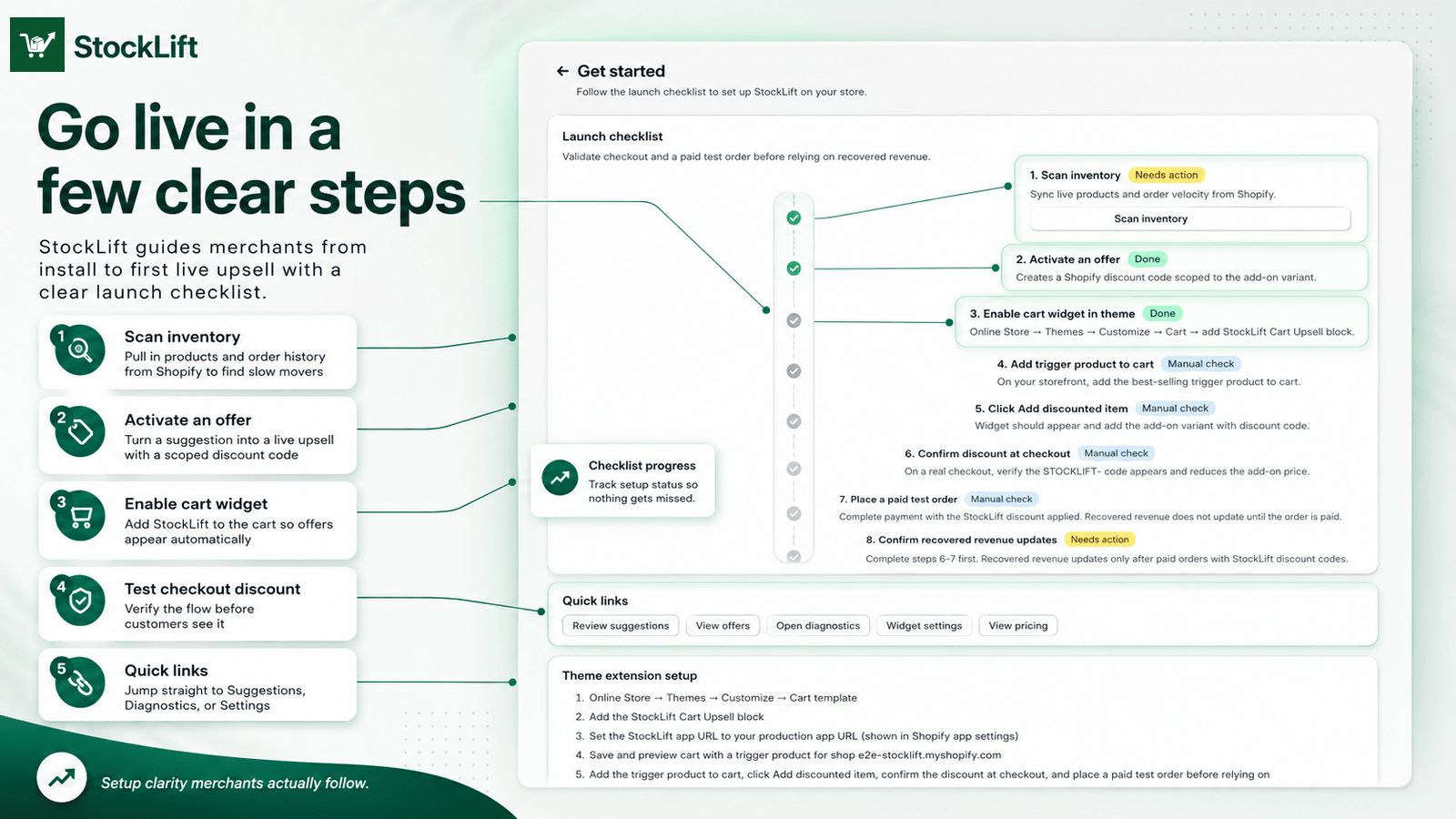
Go live in a few clear steps
Launch checklist walks merchants through scan, activate, theme widget, and checkout test — nothing missed.
Pricing
Plans that match the Shopify App Store
Early stores get free setup. We'll help identify your first slow-moving SKUs and launch your first cart offer.
Free
$0
3 active recovery offers
- 3 active recovery offers
- Inventory scan
- Retail value at risk
- Cart add-on widget
- Scoped Shopify discount codes
- Recovered revenue tracking
- Basic diagnostics
Starter
$24.99/month
14-day free trial
Up to 10 active recovery offers
- Up to 10 active recovery offers
- Product and order sync
- Cart add-on widget
- Scoped Shopify discount codes
- Recovered revenue dashboard
- Offer diagnostics
Growth
$59.99/month
14-day free trial
Up to 50 active recovery offers
- Up to 50 active recovery offers
- Larger catalog support
- Advanced diagnostics
- Discount cleanup
- More analytics
- Priority support
Permissions
Only what Shopify needs
read_productsSync catalog for slow-stock analysis and upsell pairingread_inventoryRead stock levels for inventory value at riskread_ordersLast-sold velocity and paid-order revenue attributionwrite_discountsCreate, pause, and clean up scoped discount codesFAQ
Straight answers
Does StockLift guarantee more revenue?
No. StockLift surfaces inventory opportunities and tracks performance from real paid orders. Results depend on your catalog, pricing, traffic, and merchandising.
What is "inventory value at risk"?
A conservative estimate based on add-on price and units on hand (capped at 10 units). It shows stock exposure — not projected or guaranteed recovery.
When does recovered revenue update?
After a customer completes a paid order using a StockLift discount code (STOCKLIFT-*). We attribute revenue from Shopify order webhooks, not estimates.
Do you store customer emails or addresses?
No. StockLift processes order IDs, line items, discount codes, and amounts for attribution. We do not store customer names, emails, phones, or addresses.
Guides
Inventory recovery guides for Shopify merchants
Practical guides on slow-moving inventory, dead stock, retail value at risk, and cart add-on recovery offers — plus a free planning calculator.
Slow-moving inventory
Catch aging SKUs before clearance with a recovery workflow.
Dead stock app
Turn dead stock into recovery offers before broad discounts.
Inventory recovery
Automate slow-stock detection, offers, and paid-order tracking.
Cart add-ons for slow stock
Inventory-aware cart add-ons vs generic upsells.
Inventory value at risk
Make slow stock visible as a money problem.
Dead stock calculator
Free planning estimates for retail value at risk.
Resources
Guides, demo, and support
Merchants
Already installed?
Questions? support@getstocklift.com